Slack Integration
Ask Agility about media coverage from Slack. Mention the app in a channel or message it directly, and it replies in a thread. Each person signs in with their own Agility account, and answers only include coverage that account can access.
What it does
- Searches coverage across news, broadcast, blogs, press releases, and social, filtered by date, media type, sentiment, or location.
- Cites sources, linking each answer to the articles it used, with outlet and date.
- Handles follow-ups in the thread, e.g. "narrow that to Canada".
- Searches the web for current events, or reads a page you share.
- Drafts summaries, talking points, or first drafts from what it found.
Prerequisites
- Permission to install Slack apps. A workspace admin, or a member if your workspace allows it. Some workspaces require admin approval.
- An Agility account with agentic features enabled. Ask your account admin or Agility representative if you're unsure. Not a client yet? Book a demo.
Social coverage (X/Twitter, Reddit, YouTube) depends on your account's provisioning.
Setup
1. Install the app in your workspace
Done once per workspace.
-
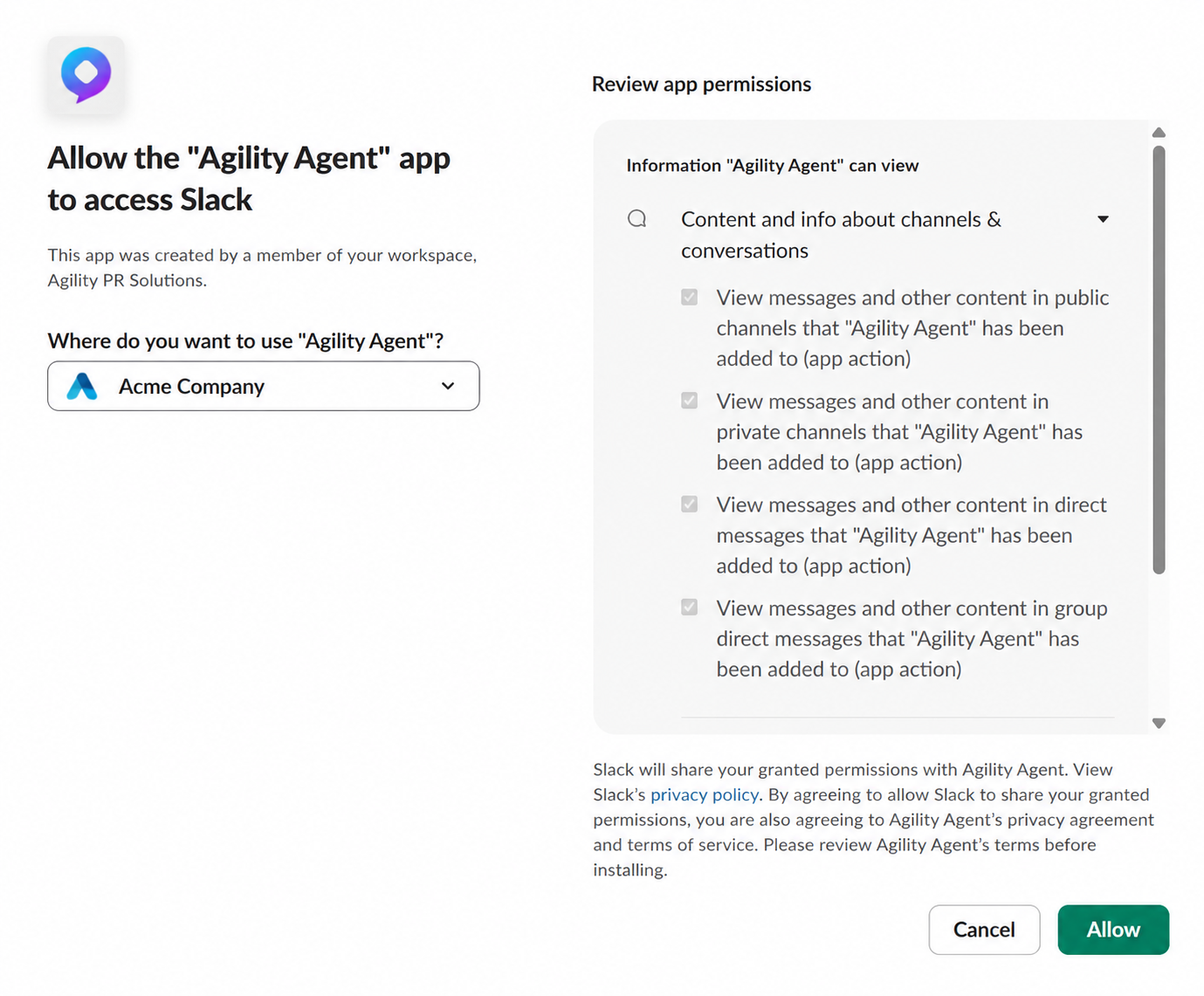
Click Add to Slack, or install Agility Agent from the Slack Marketplace:

-
Under Where do you want to use "Agility Agent"?, choose your workspace and click Allow.
-
You're redirected to your Agility dashboard. The app now appears under Agents & apps in your Slack sidebar.
On Slack Enterprise Grid, an org admin can install the app for the whole organization at once.
2. Connect your Agility account
Done once per person.
-
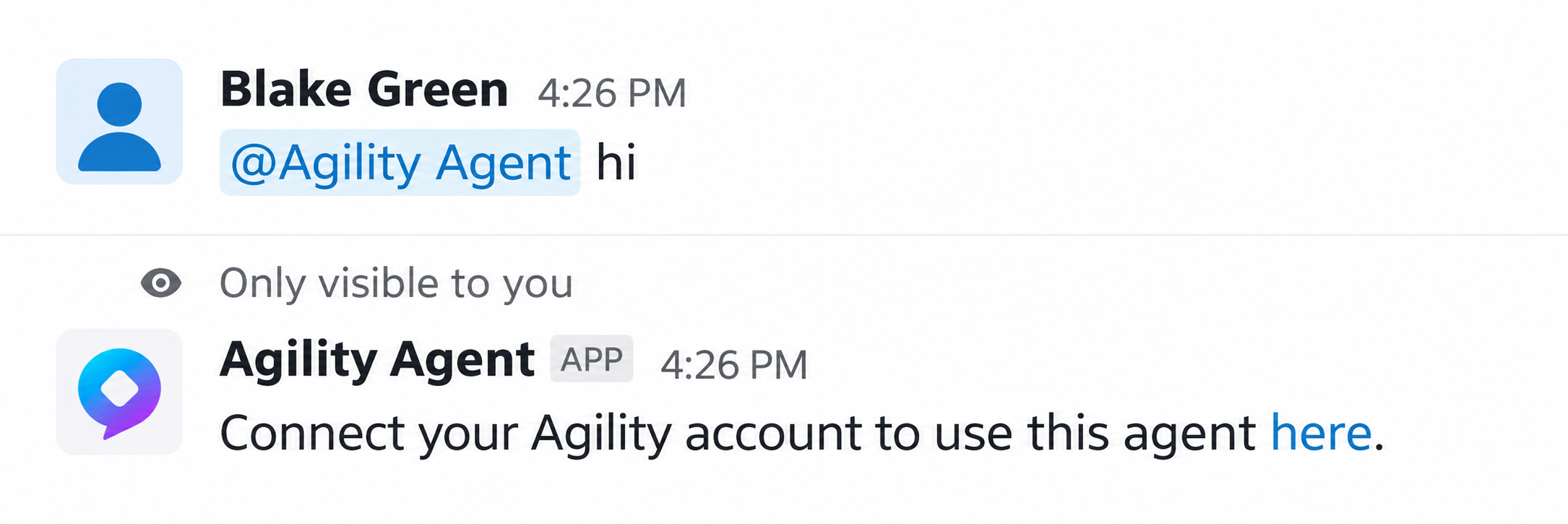
Mention the app or message it. It replies privately with a link to connect your Agility account.
-
Click the link and sign in to Agility.
-
You're redirected to your Agility dashboard, and the app confirms in Slack that your account is linked.

-
Mention the agent again with your request.
The link expires after 10 minutes. Mention the app again for a new one.
Usage
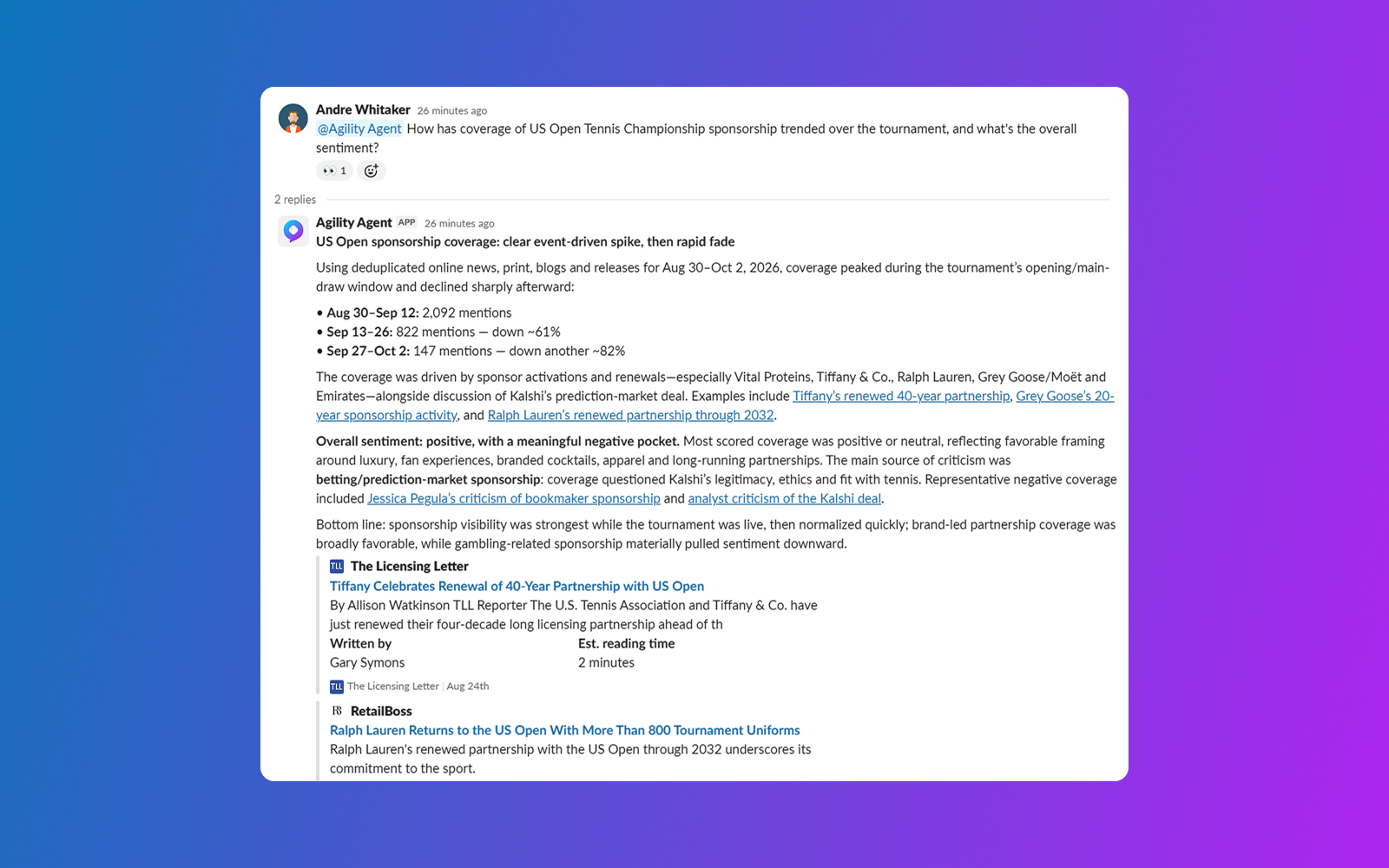
- In a channel: mention
@Agility Agent. The app must be in the channel, so accept Slack's invite prompt or run/invite @Agility Agent. It ignores messages that don't mention it. - In a direct message: open the app from Agents & apps and message it. No mention needed.
While it works, the app reacts with 👀 and shows a status such as searching coverage…. Most answers arrive within a minute.
To follow up, mention the app again in the same thread. It reads recent thread messages, so you don't need to repeat context. A new top-level message starts a fresh conversation.
The app doesn't ask clarifying questions. If a request is ambiguous, it states its assumption in the answer. Reply in the thread to correct it.
Answers in a channel are visible to everyone in it, including coverage only your account can access. Use a direct message for private searches.
Example requests
- "@Agility Agent What's the coverage of Tesla recalls from the last 7 days?"
- "@Agility Agent Find negative articles mentioning our brand in the last month and summarize the main themes."
- "@Agility Agent What has broadcast media said about the Bank of Canada's rate decision this week?"
Troubleshooting
| Problem | Fix |
|---|---|
| No response after mentioning the app | Check the app is installed and in the channel. If it was removed from the workspace, reinstall it. |
| Connect your Agility account to use this agent here. | Connect your Agility account. |
| Your Agility account isn't set up for agentic features. | Ask your account admin to enable agentic features, then try again. |
| Signed in, but the app never confirmed the link | The link likely expired. Mention the app again for a new one. |
| Social mentions are missing | Social coverage depends on your account's provisioning. Contact your Agility representative. |
Removing the app
A workspace admin can remove the app from Slack's app management settings. To reinstall, repeat step 1.
Learn more
- Search Usage: the Standard and Expert query rules the agent uses to build searches.
- MCP Server: search the same coverage from Claude or other MCP clients.
- Media Intelligence API Overview: programmatic access for your own integrations.